GitHub Copilot App: The Coding Agent Moves Outside The IDE
GitHub Copilot app is in technical preview. Here is what the desktop coding-agent workflow changes for issues, PRs, CI, permissions, and review.
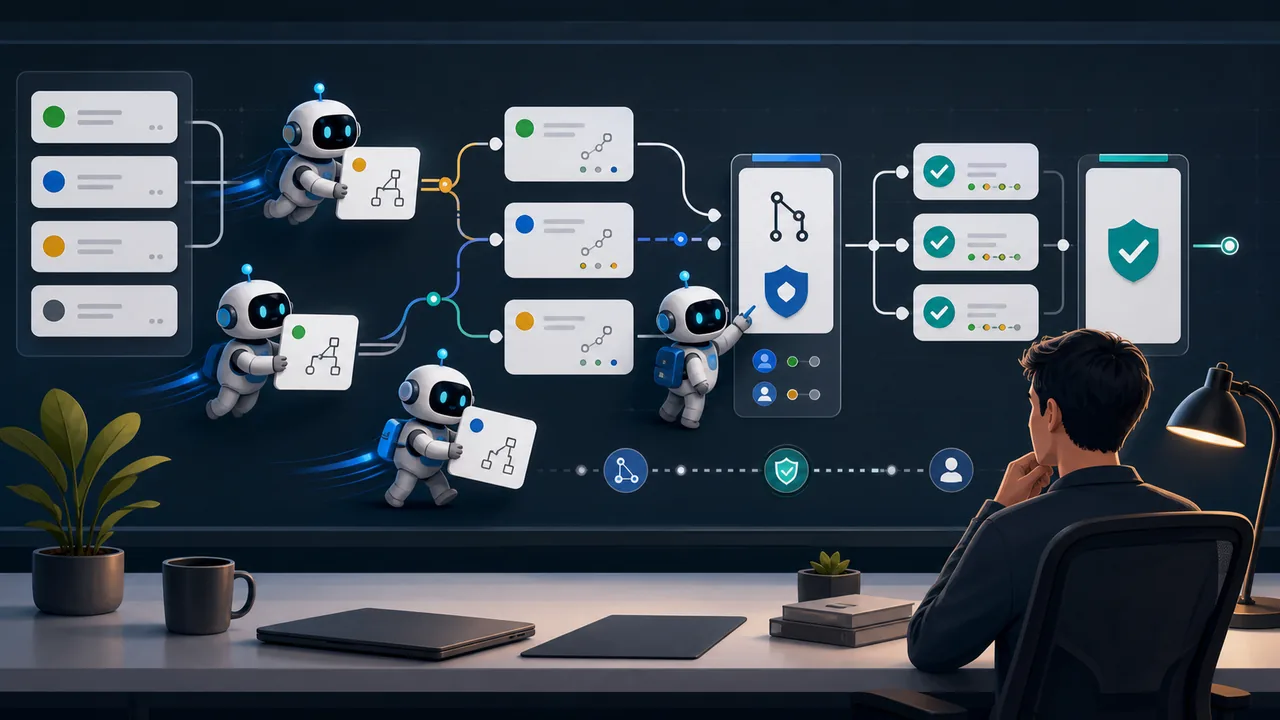
Updated May 22, 2026. GitHub Copilot already had editor chat, command-line workflows, cloud agents, and pull request helpers. The new GitHub Copilot app is different because it gives those agent sessions their own desktop surface.
That sounds like a product packaging detail until a developer has three issues open, two pull requests waiting for review, one broken CI job, and a context window full of half-finished instructions. The app is GitHub trying to make agentic coding feel less like a chat box attached to an editor and more like a queue of work that can be steered, paused, checked, and turned into pull requests.
The real risk is not that a coding agent writes a bad function. That is easy to spot in a narrow diff. The harder question is where teams place the handoff boundary: which tasks can an agent start, which files can it touch, which commands can it run, and what conditions must pass before anyone lets the change move toward merge.
Why This Preview Matters
GitHub announced the Copilot app technical preview on May 14, 2026. The company describes it as a GitHub-native desktop experience for starting agentic development from existing work, keeping sessions isolated, steering the work, and landing changes through pull request review.
That is a broader claim than a new code editor panel. The app starts from GitHub context: issues, pull requests, prompts, or previous sessions. It also includes an inbox view for work that needs attention across connected repositories. In practice, GitHub is moving the starting point from 'open the editor and ask for help' to 'start from the ticket or pull request that already defines the work.'
For a small team, that changes the value of issue hygiene. A vague issue with no acceptance criteria becomes a weak starting point for an agent. A clear issue with expected behavior, affected files, test commands, and known limits gives the agent a much safer shape of work.
A Session Is Not Just A Chat
GitHub says each Copilot app session has its own branch, files, conversation, and task state. Sessions can be paused and resumed, and work can be separated across one repository or many.
That isolation is the part to watch. Developers have been trying to run several coding agents at once in terminals, editor tabs, cloud sandboxes, and browser sessions. The failure mode is predictable: one session changes a file another session assumed was stable, or a developer loses track of which agent ran which command.
The app does not make that coordination problem disappear. It gives the work a more explicit shape. A session can be treated like a task lane: one goal, one branch, one review path. If a team uses it that way, the app can reduce confusion. If the team treats every session like a freeform command box, the same old context problems return with a nicer interface.
Agent Merge Raises The Stakes
The most sensitive feature in GitHub's preview announcement is Agent Merge. GitHub says it can address review comments, fix failing checks, and merge once conditions are met.
That wording matters. It is not the same as saying an agent gets to merge whatever it wants. Pull request checks, branch rules, review requirements, and team policies still define the guardrails. But the feature does move agent work closer to the end of the software delivery path.
Early on, keep the scope narrow: use Agent Merge only where the merge conditions are boring and explicit. Documentation updates, small test fixes, release note cleanup, and narrow dependency chores are easier to supervise. Authentication changes, billing logic, database migrations, permission models, and security-sensitive code deserve a human pause even if every automated check passes.
The common mistake will be measuring the tool only by speed. A faster merge is not an improvement if it hides who reviewed the change, which command failed, or why the agent decided a conflict resolution was safe.
The CLI Boundary Gets Bigger
The Copilot app sits near the Copilot CLI and cloud agent story. GitHub's docs say Copilot CLI is available with all Copilot plans, though organizations can require policy enablement. The CLI can answer questions, write and debug code, interact with GitHub.com, and help create pull requests.
That makes the local boundary important. GitHub's CLI documentation warns that Copilot can perform tasks on a user's behalf, including modifying files or running shell commands, and it tells people to review commands carefully when approval is requested. It also warns against launching the CLI from directories that are not trusted or that contain sensitive material.
For a developer, this is where convenience becomes operational. The same agent that can fix a failing test may also see local configuration, scripts, environment files, or a repository full of client work. Trusted directories, command approvals, and scoped sessions are not administrative trivia. They are the line between a useful helper and a tool with too much local reach.
Cloud Agents Still Need Limits
GitHub's cloud agent documentation says the agent works in an ephemeral development environment powered by GitHub Actions, where it can explore code, make changes, and run tests or linters. The same docs describe a narrower default: Copilot can only make changes in the repository specified when the task starts, and by default it can only access context in that repository, though broader access can be configured.
That default is helpful, but it is not a reason to stop thinking. A repository can still contain secrets in history, private business logic, internal tooling, or code paths that touch production systems. A broader MCP or integration setup can expand what the agent can reach.
The better move is to separate task types before the first session starts. Some work belongs in a cloud agent. Some work belongs in a local CLI session with close supervision. Some work belongs with a person.
Pricing And Model Policy Are Part Of The Decision
The app preview is also tied to plan and policy reality. GitHub says Copilot Pro and Pro+ subscribers can sign up for early access as the preview expands. Business and Enterprise customers get access as it rolls out, but admins need previews enabled and Copilot CLI enabled in policy settings.
At the same time, GitHub has been tightening the economics around agentic work. In April, GitHub said it was pausing new sign-ups for Copilot Pro, Pro+, and Student plans, tightening usage limits for individual plans, and displaying usage limits in VS Code and Copilot CLI. Long-running agent sessions are not the same cost profile as simple code completion.
Enterprise teams also have a model governance angle. On May 17, GitHub said GPT-5.3-Codex became the base model for Copilot Business and Enterprise organizations, replacing GPT-4.1 when an organization has not approved other models through internal review. GitHub also described it as a long-term support model available for a defined window.
For teams with procurement, security review, or regulated workflows, this may matter more than the app icon. An agent surface is only useful if the allowed model, request limits, data policy, and review process fit the team's actual work.
Good First Tasks
The strongest early use cases are narrow, reviewable, and easy to test.
- Turn a clear issue into a draft pull request with a small diff.
- Add or update tests around behavior that is already specified.
- Triage a failing CI log and propose a targeted fix.
- Draft release notes from merged pull requests.
- Clean up documentation after an API or UI change.
- Apply review feedback when the reviewer left precise comments.
The weaker first tasks are broad, ambiguous, or hard to verify.
- Rewrite a permission system.
- Change payment or account recovery logic.
- Touch secrets, deployment scripts, or production credentials.
- Make cross-repository architecture decisions.
- Run destructive shell commands.
- Replace a human security review.
That split is not anti-agent. It is how teams learn where the agent is dependable before handing it a larger surface.
The Team Rule To Write Down
Before using the Copilot app seriously, write one short rule for the repository.
Name which task types are allowed, which commands require approval, which files are off limits, which checks must pass, and when a human review is mandatory. Add enough detail that a new developer can tell whether a task belongs in the app, the CLI, the cloud agent, or a normal pull request.
This does not need to become a policy novel. A one-page rule is enough for many teams. The important part is that the team decides before a busy week, not after an agent has already opened five branches with five different assumptions.
Keep The Human In The Review Seat
The Copilot app points toward a future where developers manage more agent sessions and write less of the routine glue by hand. That can be useful. It can also make weak review habits more expensive.
The app is worth watching because it moves coding agents closer to the pull request lifecycle. It starts from GitHub work, keeps sessions visible, and gives teams a place to steer and validate changes. But the review seat still belongs to a person who understands the codebase, the risk, and the reason the change exists.
That is the line to hold: let the agent carry narrow work, but do not let the workflow blur accountability.
Source Links
- GitHub Changelog: GitHub Copilot app is now available in technical preview
- GitHub Docs: About GitHub Copilot cloud agent
- GitHub Docs: About GitHub Copilot CLI
- GitHub Blog: What's new with GitHub Copilot coding agent
- GitHub Blog: Changes to GitHub Copilot Individual plans
- GitHub Changelog: GPT-5.3-Codex is now the base model for Copilot Business and Enterprise