MFA Number Matching Is A Stopgap, Not The Finish Line
MFA number matching can slow prompt fatigue, but it is not the same as phishing-resistant MFA. Here is how small teams should use it and what to replace next.
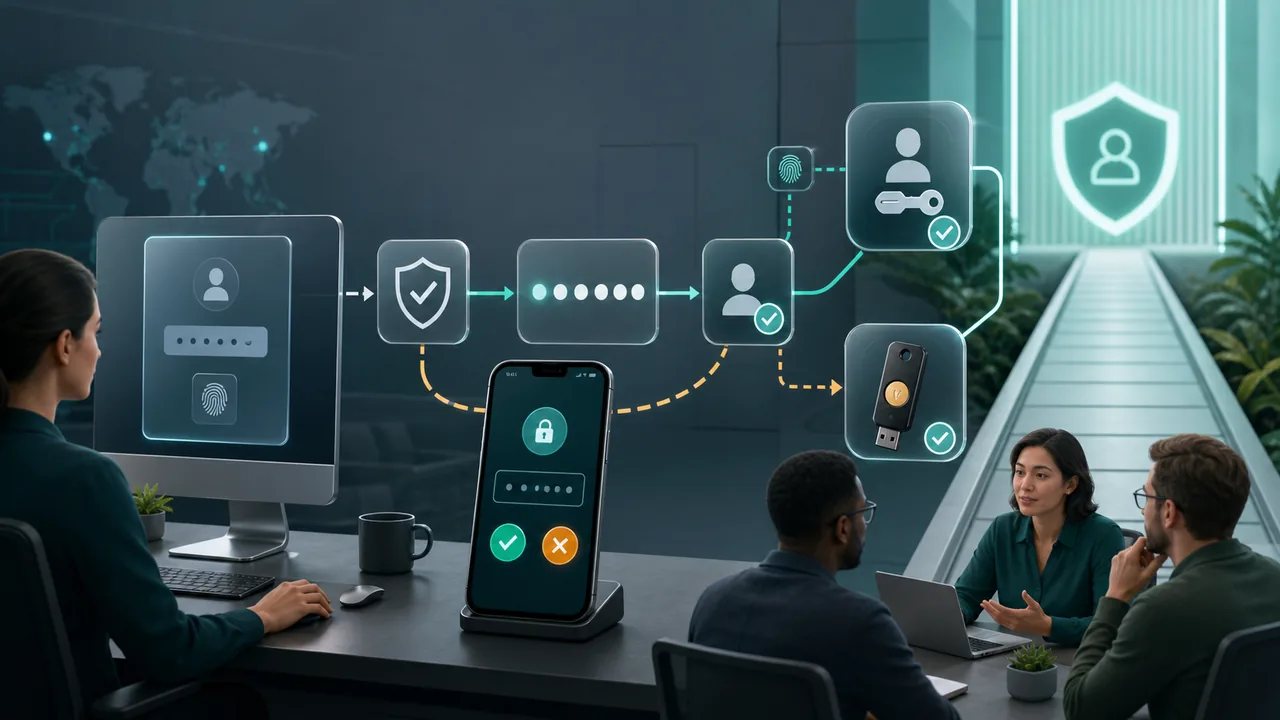
Updated May 25, 2026. MFA number matching is a useful repair for one of the most annoying weaknesses in push based authentication: the random "approve" prompt that appears when someone else is trying to sign in with a stolen password.
It is not the finish line.
For a small team, that distinction matters. Number matching can reduce accidental approvals and make prompt spam attacks harder. It does not turn every login into phishing resistant authentication, and it does not remove the need to protect recovery paths, admin accounts, session tokens, and high risk developer tools.
The real risk is overreading a prompt hardening feature as a full identity strategy. The better move is to enable number matching now, then keep moving the accounts that matter most toward passkeys, hardware security keys, or another phishing resistant method your identity provider supports.
Short Answer
If your organization still uses mobile push MFA, number matching is worth enabling wherever the platform supports it. The person signing in has to use a number shown on the sign-in screen, which makes a surprise phone prompt much harder to approve blindly.
The security boundary is narrower than many teams assume. Number matching is designed to slow MFA fatigue, not to defeat every phishing path. It helps when the attacker has a password and tries to irritate or confuse the real account owner into approving access. It is weaker when the attacker can trick the person into interacting with a live fake sign-in page, capture a session, abuse account recovery, or convince support to reset access.
The decision is therefore simple: enable number matching for push MFA, but do not let it become the excuse for postponing phishing resistant MFA on admin, finance, code, identity, and email accounts.
The Attack It Was Built To Slow
MFA fatigue starts after the password is already in trouble. An attacker gets a password through reuse, phishing, a leak, or guessing. They try to sign in to a service that uses push-based MFA. The real account owner then receives a prompt on a phone or authenticator app.
If the system only asks "approve or deny," the attacker can keep generating prompts. A tired employee may think one of them belongs to a real sign-in. Someone in a meeting may tap approve to clear the interruption. A remote worker moving between VPN, email, payroll, and chat tools may not remember which login triggered which prompt.
CISA's number matching guidance frames the problem in those terms: repeated prompts can annoy or confuse the person who owns the account. The attacker does not need to break encryption if the human flow gives them a one tap door.
That is the gap number matching tries to close.
Where Number Matching Changes The Habit
With number matching, the sign-in page shows a number and the authenticator flow asks for that same number before approval. A random prompt no longer has enough information on its own. If someone is not actively signing in, there is no number to copy from a login screen. That pause is the value.
Microsoft's Entra documentation says number matching is the default behavior for Microsoft Authenticator push notifications and that users cannot opt out for those prompts. Microsoft also documents a same device flow for some mobile apps such as Teams and Outlook, where the experience can be simplified because the request is happening on the same device that initiated the login. Browser sign-ins still require entering the number.
That nuance is important for training. The user lesson cannot be only "you will always type a number." A better lesson is: only approve the authentication flow you started, and deny anything that appears when you are not signing in.
The best version of number matching also gives context. Application name, location hints, and suspicious-activity reporting make the prompt less mysterious. They do not prove the sign-in is safe, but they give the account owner and help desk a better starting point.
Where It Does Not Reach
Number matching is not the same thing as phishing resistant MFA. NIST's current SP 800-63B-4 guidance treats phishing resistance as a property of the authentication protocol: the authenticator output is bound to the legitimate verifier and cannot simply be used with an impostor service. In plain language, if a fake or intermediary login flow can relay what the person enters, it is not doing the same job as a method cryptographically bound to the legitimate service.
That leaves several gaps.
A live phishing proxy can still show the victim a real-looking sign-in flow and ask them to complete the number. A stolen browser session may bypass the login challenge entirely. Weak recovery steps can let an attacker replace the authenticator. A shared mailbox or shared admin password can make the whole MFA model harder to reason about. A malicious OAuth consent flow can grant access without looking like the classic password-plus-prompt sequence.
There are also compatibility edges. Microsoft notes that older Authenticator versions that do not support number matching will not work for login until upgraded. Some legacy or remote access setups can need special review before a team changes authentication behavior. That is not a reason to avoid the upgrade; it is a reason to inventory the real login paths first.
Keep, Tighten, Or Replace
Use this as a decision map, not as a universal rule.
For normal employee SaaS accounts that already use push MFA, number matching is often enough as an interim hardening step. Enable it, add prompt context where available, and teach denial and reporting.
For email, identity, payroll, finance, source code, and cloud admin accounts, number matching should not be the long term control. Move those accounts toward passkeys, hardware security keys, certificate based authentication, or another phishing resistant method.
For shared accounts, the answer is no. Remove shared credentials or split access into named accounts with auditable MFA.
For emergency admin accounts, number matching is acceptable only as one layer in a documented emergency plan. Store credentials separately, limit use, monitor sign-ins, and test recovery without weakening normal admin MFA.
For contractor or temporary access, number matching can help only when expiry and monitoring are tight. Use least privilege, temporary access, and phishing resistant options when the account can reach sensitive systems.
For legacy remote access, test first. Check vendor documentation, pilot with a small group, and keep a fallback path that does not weaken security.
The real mistake is treating all accounts alike. A newsletter tool and an identity administrator account do not deserve the same risk budget.
A Rollout That Does Not Create Support Chaos
Start with an inventory. List which systems use push prompts, which identity provider controls them, which groups still use SMS or voice, which users have old authenticator apps, and which services rely on legacy remote access. The rollout will be smoother if the team knows where authentication actually happens.
Then run a pilot. Include one administrator, one remote worker, one mobile first user, and one person who signs in through the most awkward workflow. Ask them where the prompt appeared, whether the number was visible, whether same device sign-ins behaved differently, and whether any tool failed.
The training message should be short:
- If you did not start a sign-in, deny the prompt.
- If the login screen does not show a number, do not guess.
- If prompts repeat, report them instead of approving one to make them stop.
- If a help desk or colleague asks for a code, stop and verify through a separate channel.
- If an app suddenly cannot sign in, update the authenticator app before assuming the account is broken.
Do not frame the change as punishment for user mistakes. Prompt fatigue is a workflow problem attackers learned to exploit. Good authentication design should reduce the chance that a busy person has to make a security decision with almost no context.
The Security Conversation To Have Next
After number matching is live, the next conversation is prioritization. Which accounts would hurt most if they were phished today? Which systems allow session export, token creation, code deployment, payroll changes, mailbox forwarding, or identity-policy edits? Which recovery flows still depend on a phone number or a help-desk script?
Those accounts move first. Passkeys and hardware security keys are not just more fashionable login methods. Their value is that the authentication can be bound to the legitimate service in a way a normal fake login page cannot simply replay. That does not make them magic, and rollout still needs recovery planning, spare keys, device policy, and user support. But they solve a different class of problem than number matching.
For the rest of the organization, number matching is still a meaningful improvement. It turns a one tap prompt into a login aware prompt. It creates a natural moment to deny suspicious access. It makes prompt spam less useful.
That is enough reason to enable it. It is not enough reason to stop there.
The Decision Rule
Enable number matching anywhere push MFA remains in use and the platform supports it. Review the edge cases before the rollout, especially old authenticator apps, legacy remote access, and same device mobile sign-ins.
Then separate the account list into two groups. Ordinary accounts can use number matching as a practical hardening step while the team improves reporting and recovery. High impact accounts need a migration path to phishing resistant MFA, plus cleaner recovery and monitoring.
The right posture is not "push MFA is broken" or "number matching fixes MFA." The right posture is narrower: number matching closes the easiest prompt fatigue habit, while phishing resistant authentication closes a harder impersonation problem.
Small teams can act on that today without pretending the work is done.
Source Links
- CISA: CISA releases guidance on phishing-resistant and numbers matching multifactor authentication
- CISA PDF: Implementing Number Matching in MFA Applications
- CISA PDF: Implementing Phishing-Resistant MFA
- Microsoft Learn: How number matching works in MFA push notifications for Authenticator
- Microsoft Learn: Protecting authentication methods in Microsoft Entra ID
- NIST: Special Publication 800-63 Digital Identity Guidelines
- NIST: SP 800-63B-4, Authentication and Authenticator Management
- NIST PDF: SP 800-63B-4, Authentication and Authenticator Management